OMS requires an internet connection in order to be able to log in an access your Marvin Quotes and Orders. If you are in a remote location with limited internet access, OMS has an Offline Mode option. This will sync a copy of all of your Quotes and Orders onto your local PC whenever you use OMS.
Marvin generally does not recommend for anyone to use Offline mode unless it's absolutely necessary, as it significantly impacts the performance of OMS.
Synchronization is the process by which information and updates are sent and received from the OMS for a user with the Offline permission. OMS users can be designated as either offline (working on your computer while NOT connected to any shared network or intranet, or internet connection) or online (working on your computer while connected to the Internet). Each time an offline user works while connected to the internet, automatic synchronization occurs in the background, and you are able to continue working without interruption.
- While working Connected, you can work on and view any quote or order you have permission to access.
- While working Disconnected, you can work on and view My Orders and My Quotes.
- An internet connection is required for synchronization. Synchronization updates organization, Quote and Order information, and Inbox information. You can continue to work and quote in the OMS while background synchronizing.
- Changes and updates to projects made offline are saved to Marvin's central data server. During the synchronization process, orders are transmitted, projects are saved, and assistance request created while offline are submitted.
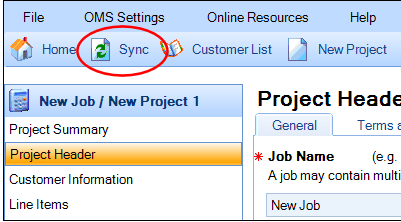
- You can manually initiate a synchronization at any time by clicking the Sync button.
- Background sync initially happens automatically every three minutes when logged in as an offline user and connected to the network.
- Offline users do not have to sync while working on a project until completely done.
- A small icon or progress bar displays in the bottom-right of the window when background sync runs.
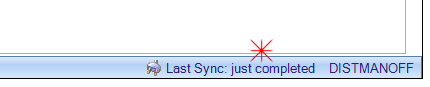
- After the sync is complete, the status message displays just complete.
Note: Failure to synchronize for a time period in excess of 2 weeks will cause certain functions within OMS to become disabled.